Using Kameleo with DataImpulse proxy
DataImpulse simplifies the process of gathering data from any online source, eliminating the need to manage proxies or multiple scraping instances. With a focus on ease-of-use, users can access the data they need without the burden of handling complex infrastructure. DataImpulse offers a pay-as-you-go pricing model, ensuring affordability and flexibility for businesses of all sizes. This streamlined approach allows companies to effortlessly obtain the data they require while focusing on utilizing it for insights and decision-making.
Integrating DataImpulse Proxy into Kameleo anti-detect browser tool
Reducing the risk of account bans using anti-detect browser tools
Whenever you navigate the internet or manage multiple profiles, your browser shares specific data with the sites you visit. Based on this shared data and identified activities, websites can determine whether you are an individual user. They can also monitor your web activity, detect automated traffic (a technique known as bot detection), and even block access or ban entire profiles of certain users if they detect suspicious browsing.
To minimize the risk of profile bans, professionals frequently use a combination of anti-detect browsers and proxies. In this tutorial, we'll guide you through the process of integrating DataImpulse proxies into our anti-detect browser tool, Kameleo.
Configuring DataImpulse Proxies within Kameleo
Kameleo doesn't offer their own proxies. So, you'll need to be able to pick one that works best for you. You need to choose a service that protects your private information. A bright example of such a provider is DataImpulse. DataImpulse started as an in-house project, so those guys know how it feels to be a client. They legally obtain their proxy pool using an in-house app. People install that app on their devices and opt-in to sell some of their traffic. DataImpulse pays for that traffic. It doesn't resell the IPs of other providers and doesn't collect or share your sensitive data. DataImpulse's proxies suit various needs, from web scraping and price monitoring to streaming. You can have addresses from 194 locations and set up your proxy server according to your needs—choose locations, the type of proxies, and protocol, and set a rotating interval. You don't have to rush to use all the GBs you bought, as this provider operates on a pay-as-you-go pricing model.
Integrate DataImpulse Proxy into Kameleo step by step:
-
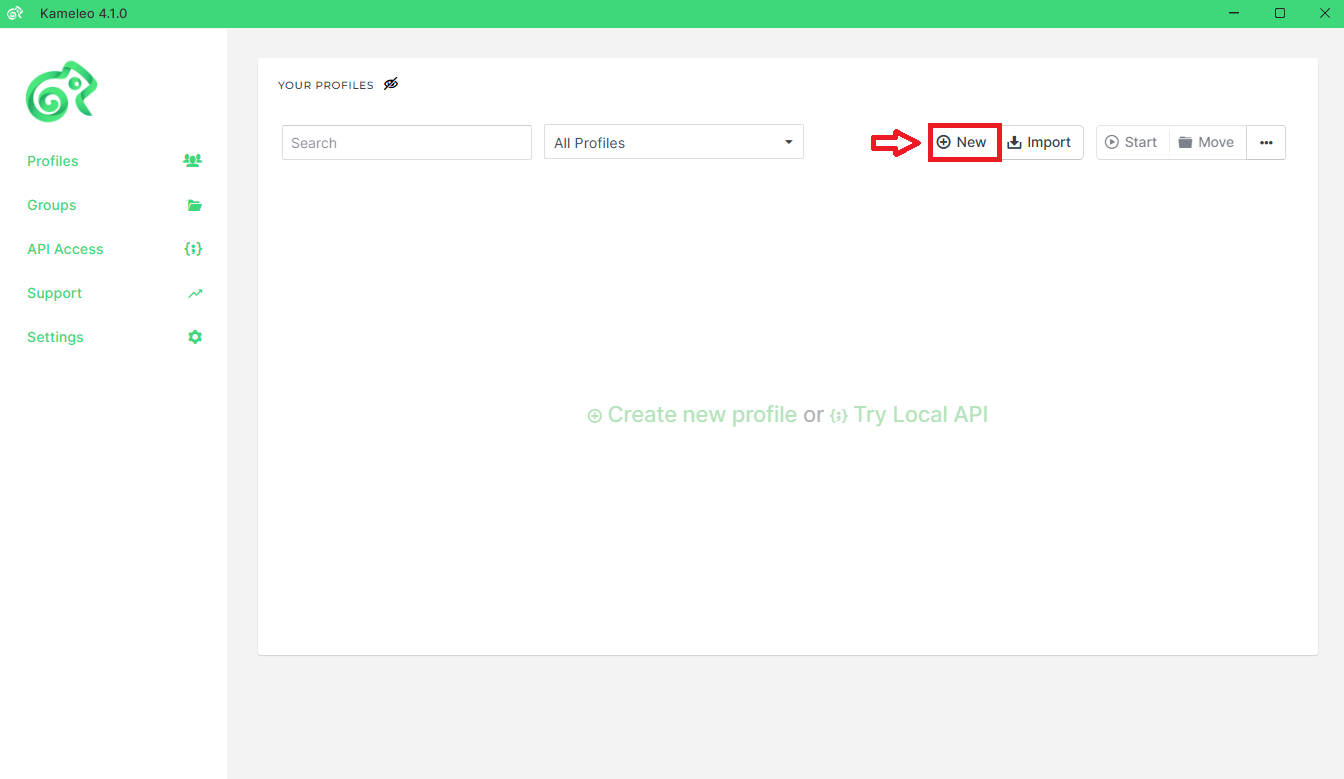
Once you've opened the app, click on 'New'.
-
Pick your device type, OS, browser, and language from there.
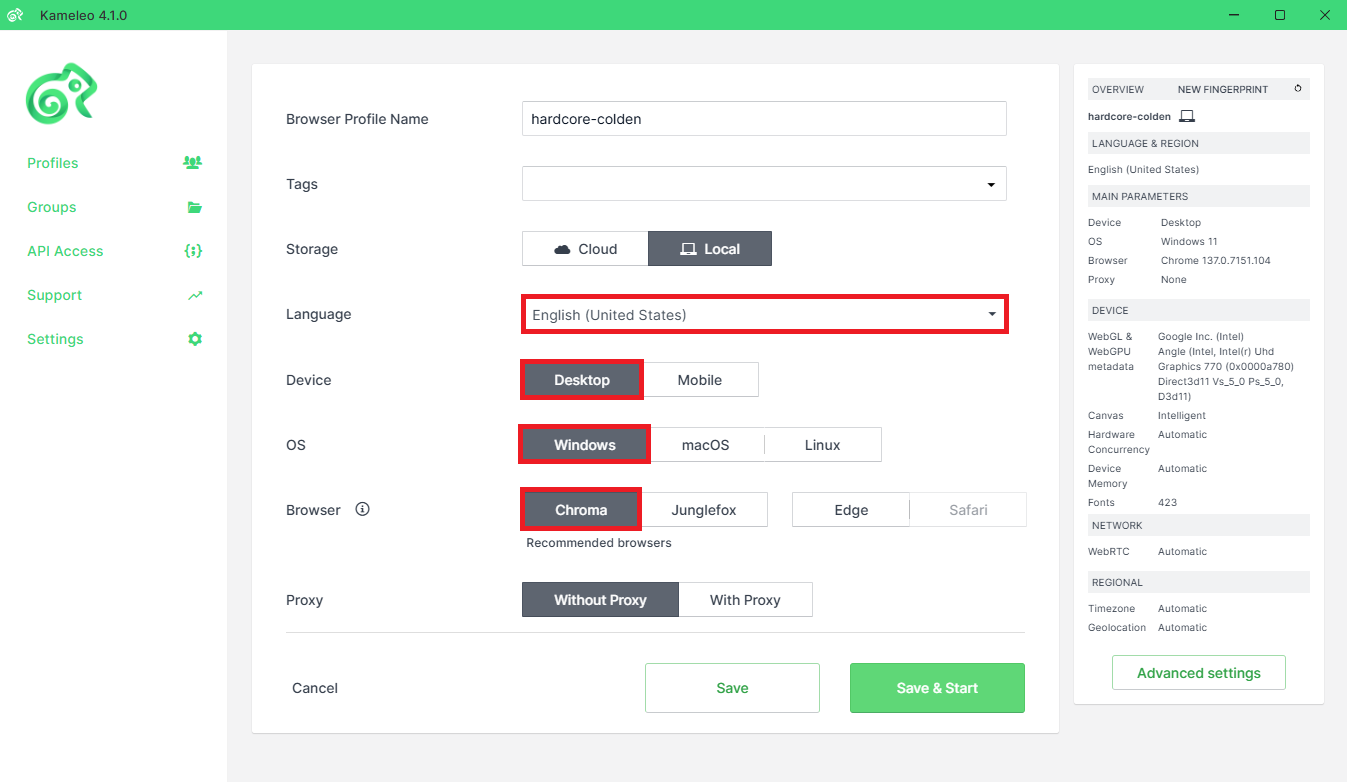
- Select a profile from the available list and move forward.
-
In the next window, find the 'Connection' area and fill in the necessary proxy information. To do this, get into your DataImpulse account, then go to the "residential" tab and find the "Proxy access" area.
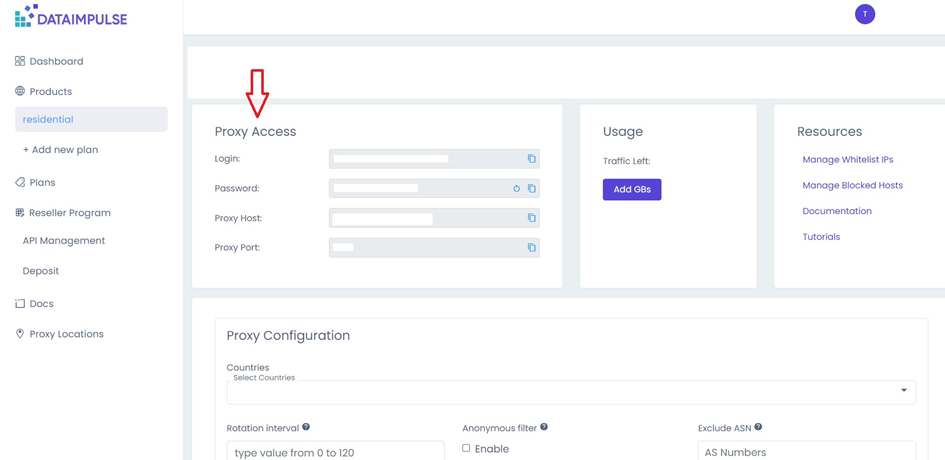
- On that tab, you can configure necessary settings like selecting countries, setting proxy type, rotating interval, and protocol type, and excluding ASNs if needed.
-
After making adjustments, copy the proxy information into the relevant section of your Connection box in Kameleo.
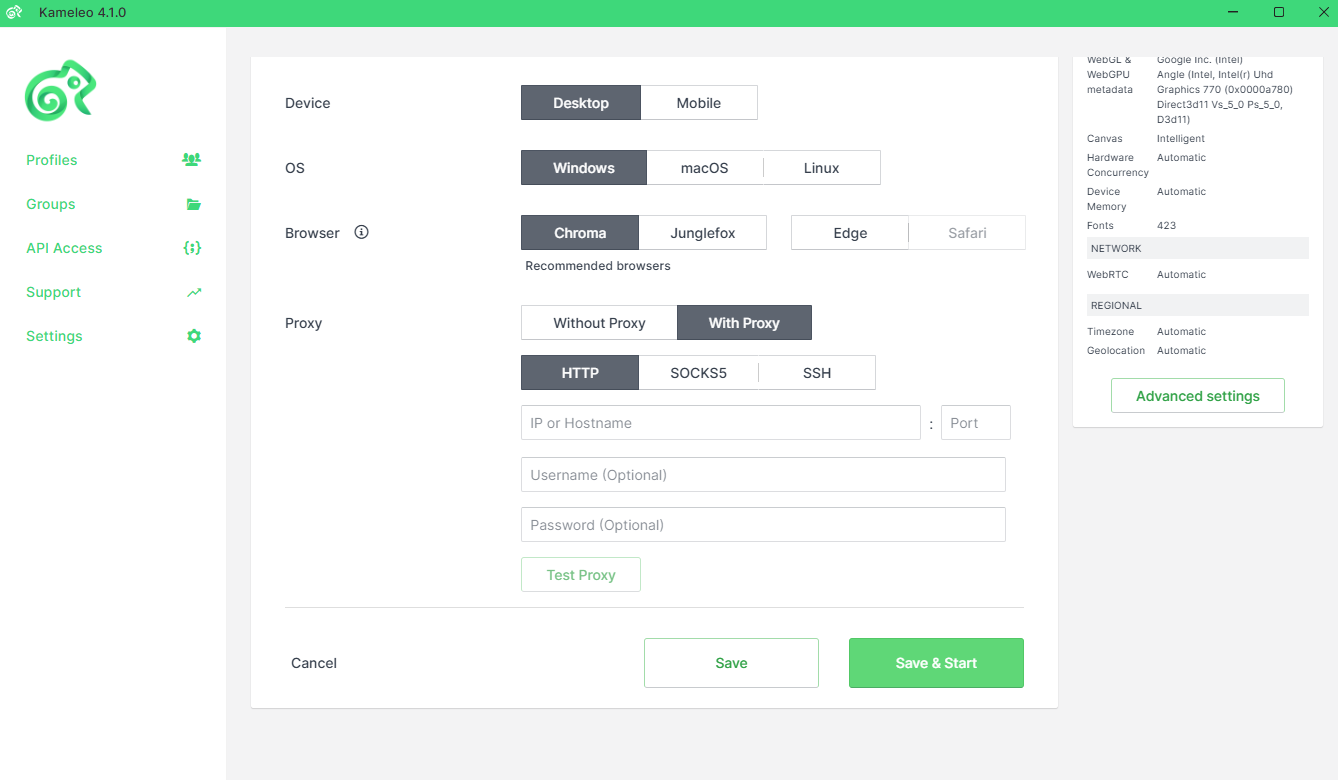
- At that point simply click on "Save & Start" button below start the profile.
