Canceling a Subscription
You can cancel your subscription anytime by following these steps:
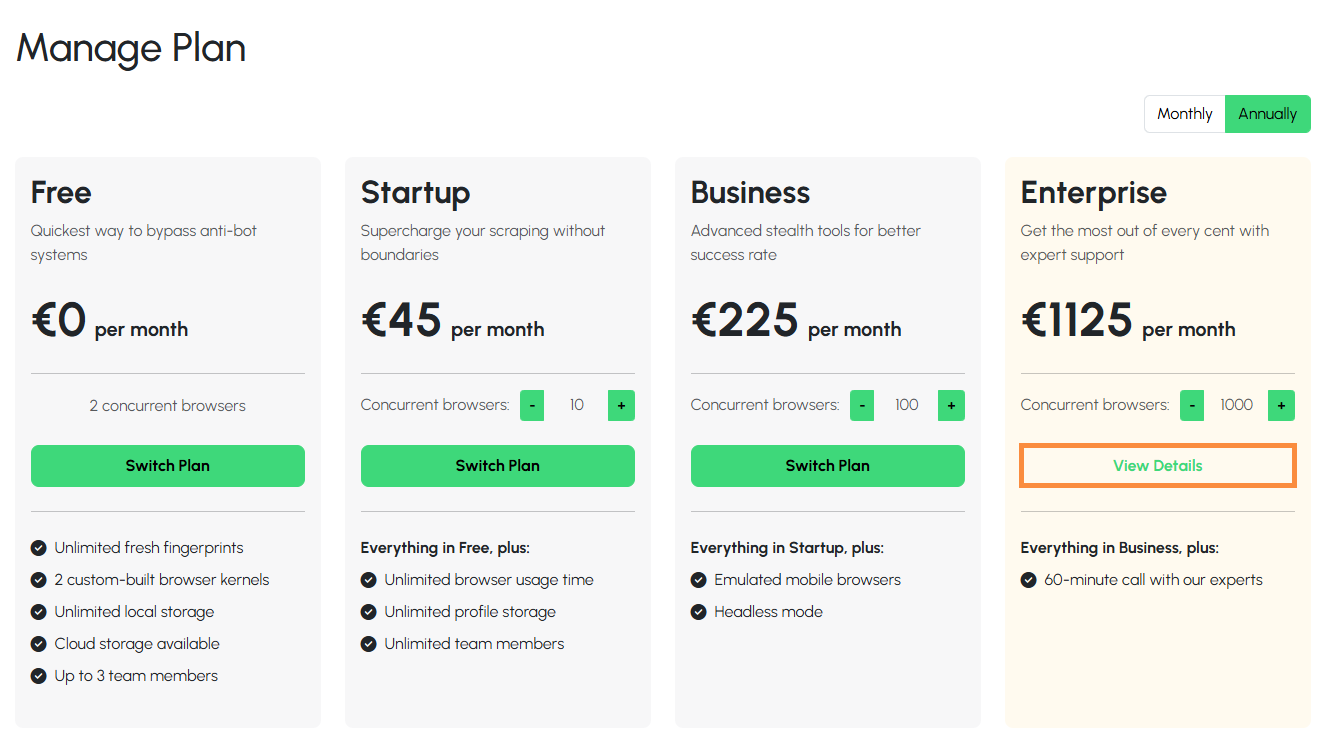
- Visit the Manage Plan page.
-
Select your active subscription by clicking the "View Details" button.
-
Under the "Action" section click on green button labeled "Cancel".
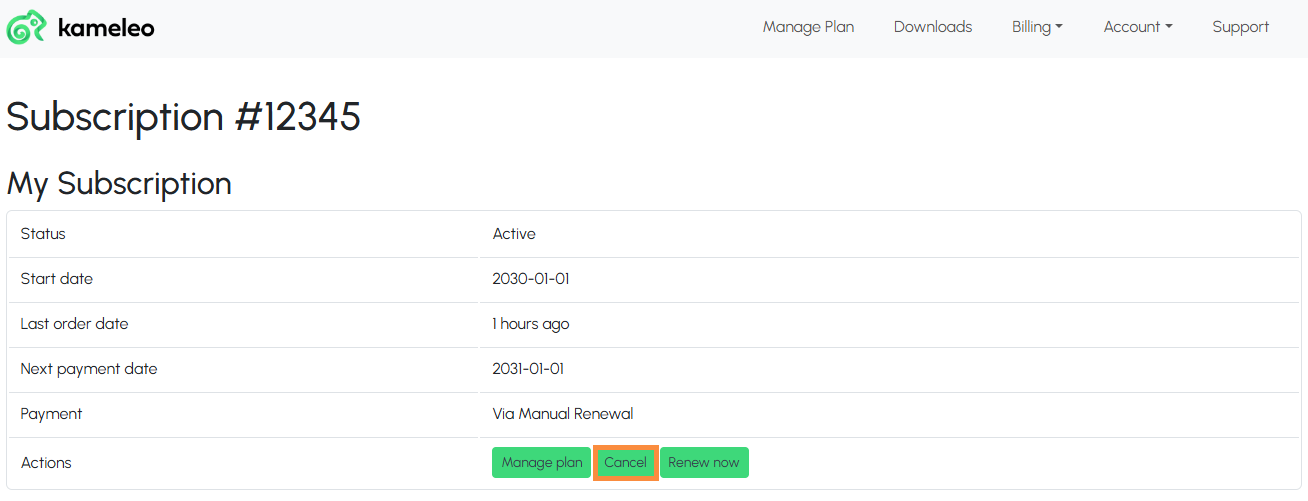
It's important to note that by you will still have access to our services until the end of your current billing cycle, but your subscription will not renew automatically.