The accountless limit has been reached
What does this error mean?
You may see the following error message when using Kameleo in Accountless mode:
“The accountless limit has been reached.”
This means that you have used the available Accountless access quota. Accountless mode allows you to quickly test Kameleo without creating an account, but the browser usage time is limited to 20 minutes.
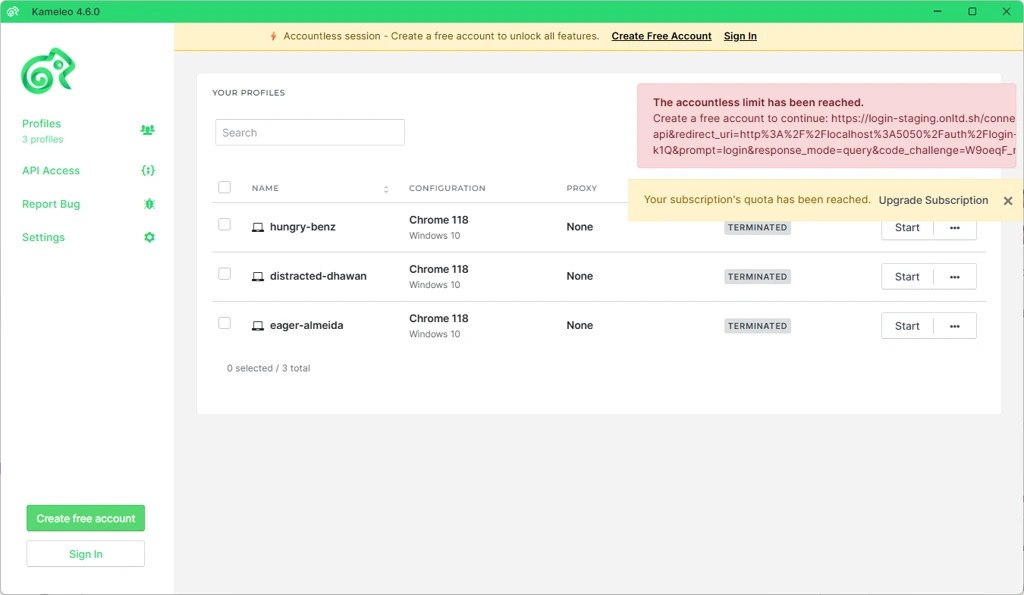
Why does this happen?
Accountless mode is designed for a quick first look at Kameleo before registration. Once the 20-minute usage limit is reached, you will no longer be able to continue using Kameleo in Accountless mode.
How to fix it
To continue using Kameleo, please create a Kameleo account.
After creating an account, you can access the Free tier, which gives you additional time and allows you to continue testing Kameleo with more features available than in Accountless mode.
Steps to continue
- Open Kameleo.
- Choose the "Create free account" option (or sign in to your existing Kameleo account).
- Complete the registration process.
- Start using Kameleo with the Free tier.
Summary
Accountless mode is available for quick testing without registration and is limited to a 20-minute session. If you see the “The accountless limit has been reached” error, create a Kameleo account to continue using Kameleo through the Free tier.