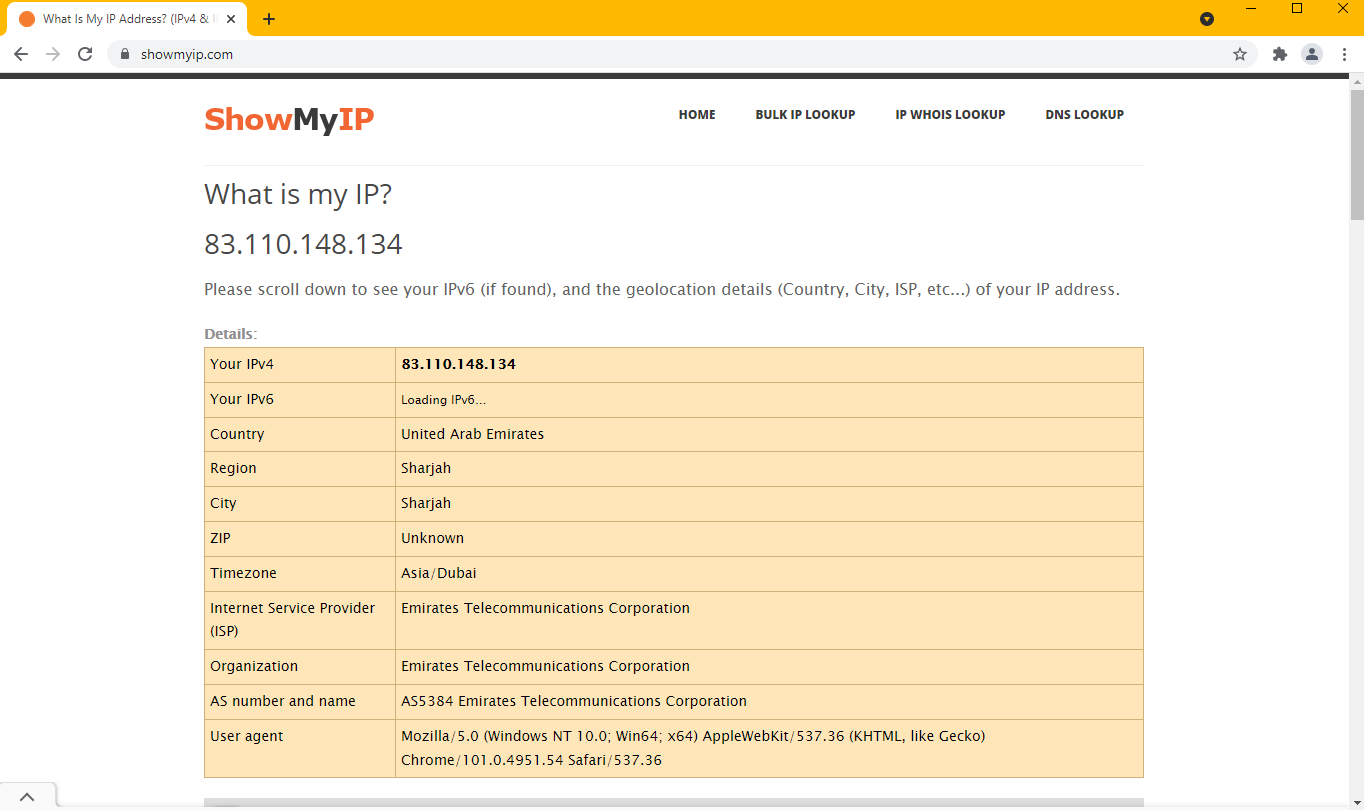
Using Kameleo with Dove Proxy

How to set up Dove Proxy with Kameleo?
It is really easy.
-
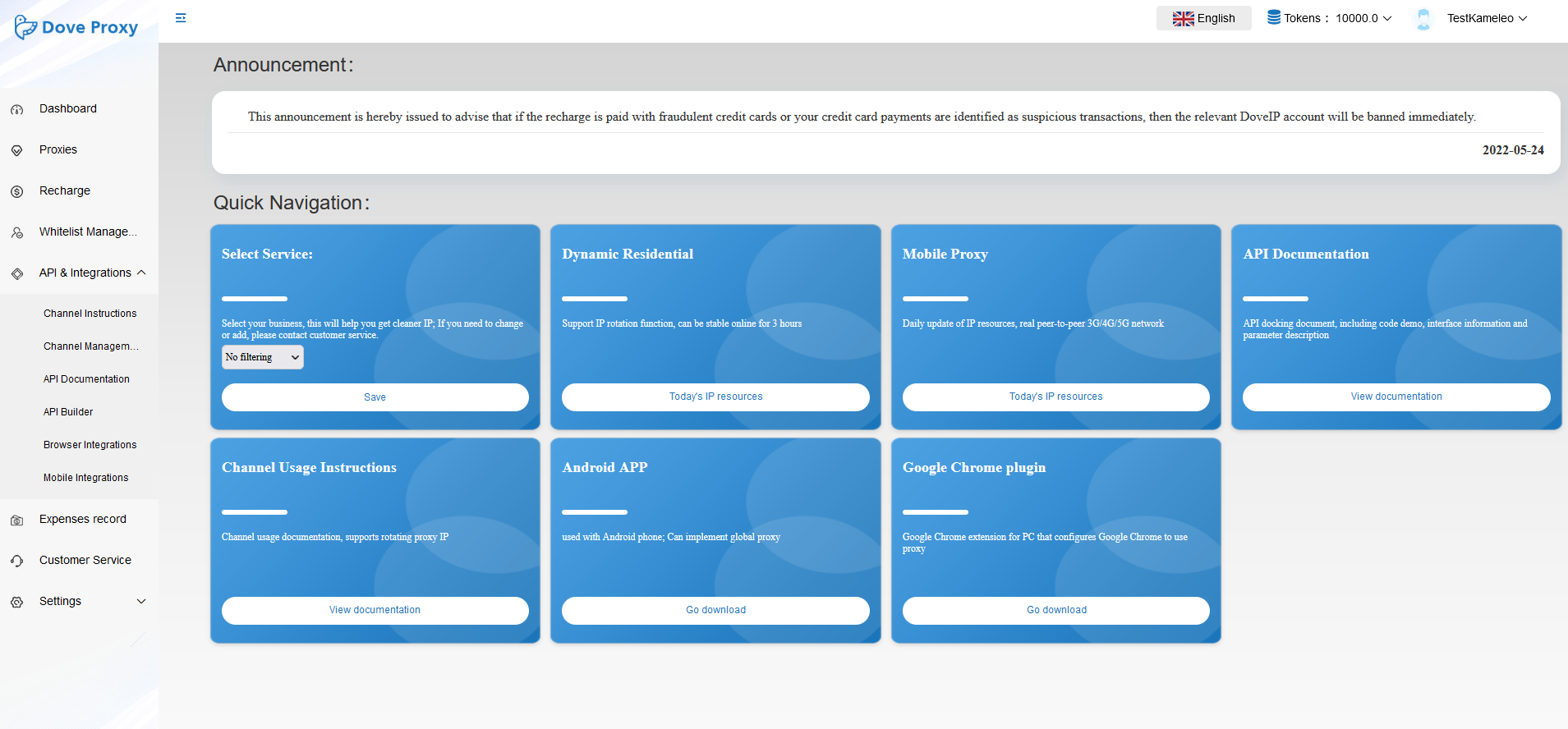
On the menu, click on Channel Management under API & Integrations.
-
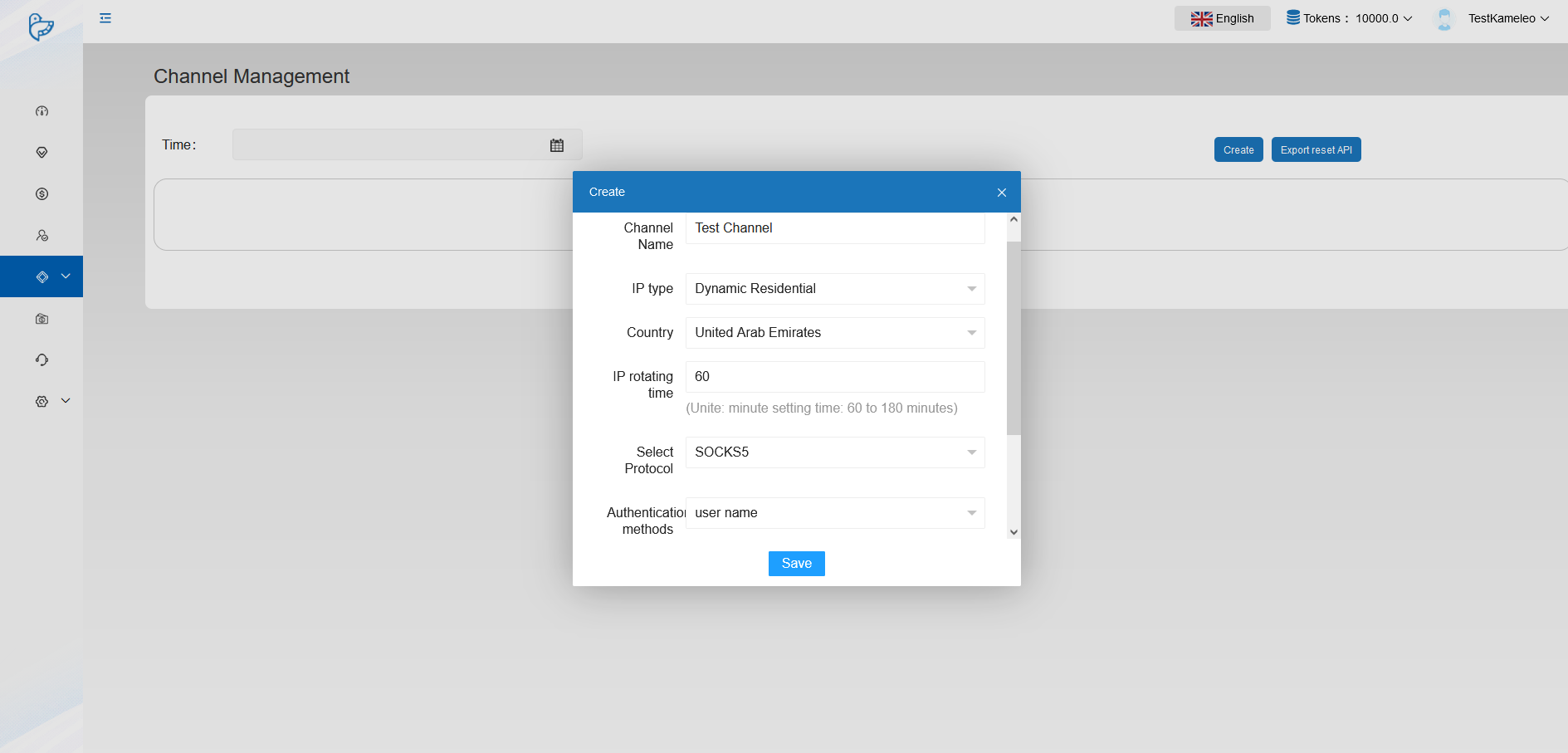
Click on Create. Add a name to the channel. Choose between a Mobile proxy or a Dynamic Residential proxy. Choose the country according to Kameleo’s profile.
-
Set the protocol and choose user name option for authentication. (You can also whitelist your IP and use that further information: http://www.doveip.com/admin.php?s=/channel/instruction.html&lang=en-us)
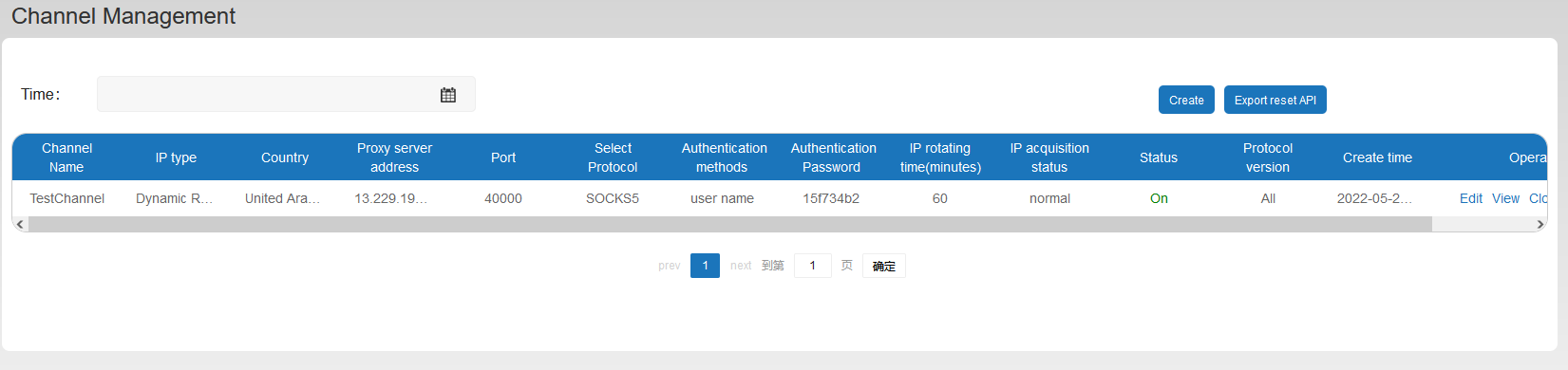
Your channel is now listed on Channel Management. Now, you need to copy-paste the data to Kameleo’s profile.
-
The channel information contains the proxy server address, port, and Authentication password. Your user name is your account name. If everything is filled, click on START.
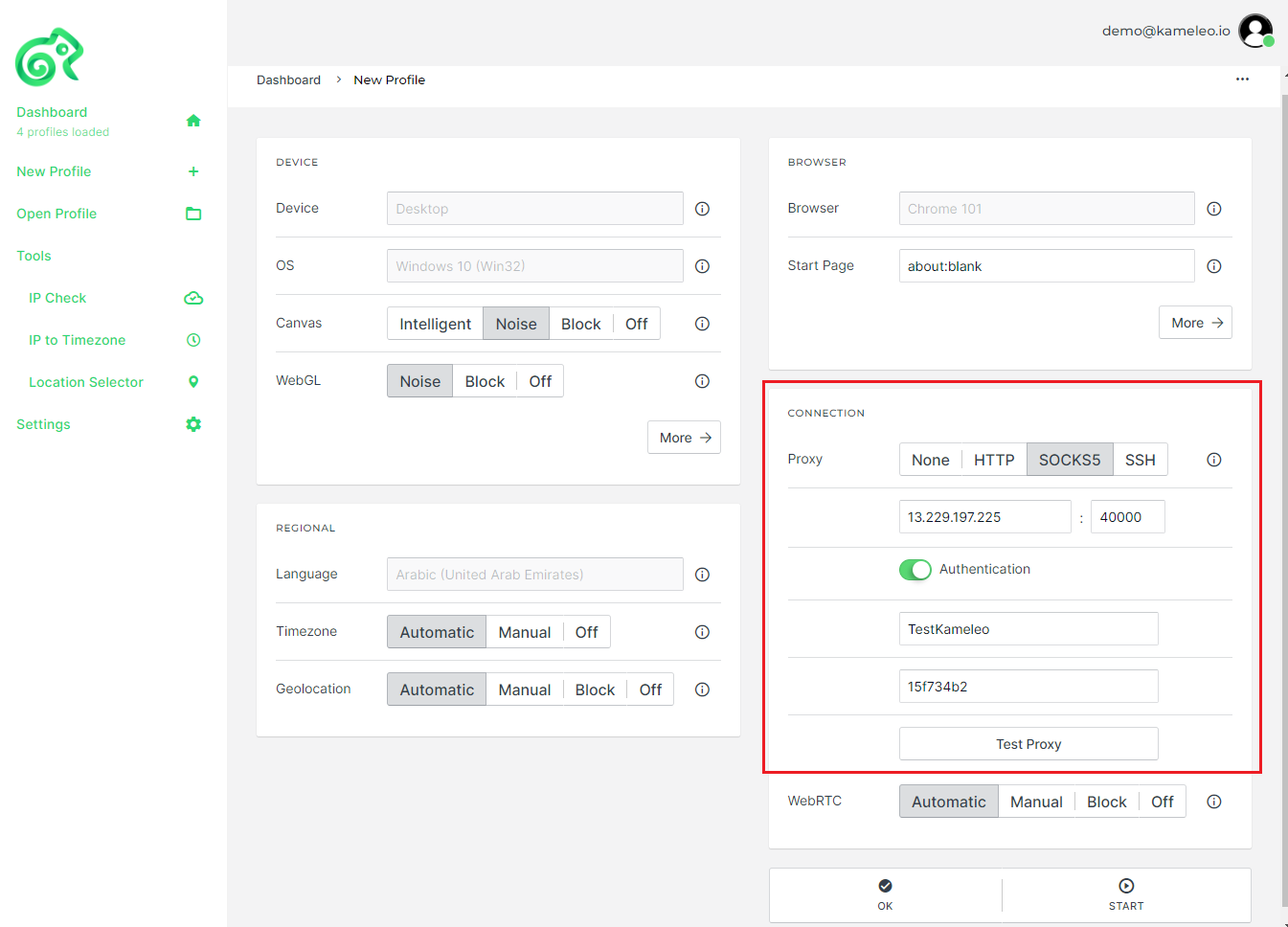
-
And you can instantly enjoy the benefits of the Dove proxy.