Using Kameleo with Proxy302
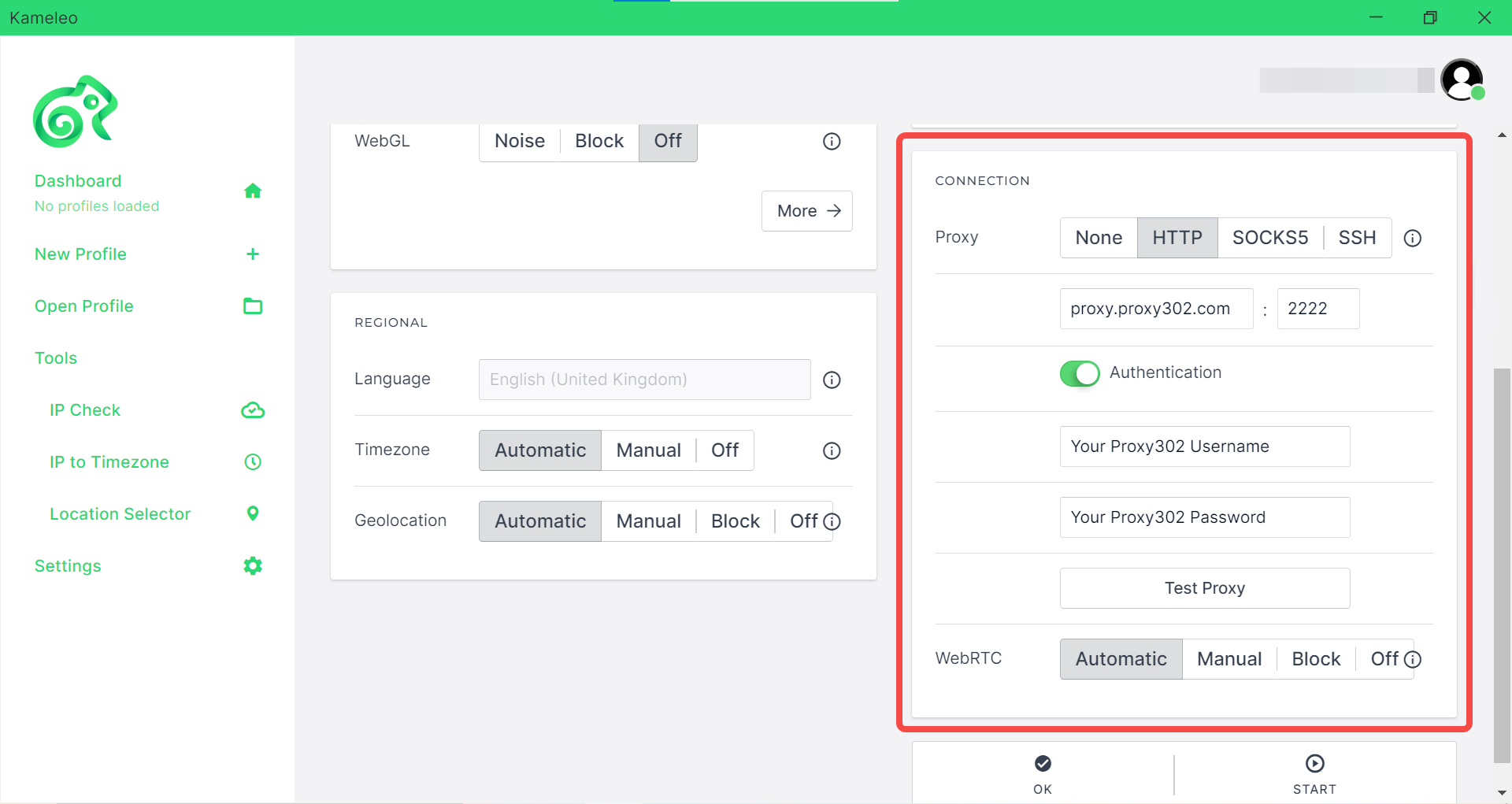
Proxy302 offers HTTP / SOCKS5 proxies, so you will have to select HTTP /SOCKS5 as a Proxy on the Profile Edit Page.
- hostname: proxy.proxy302.com
- proxy port: 2222
You will be authenticated by the username and password.
- proxy Username: { Your Proxy302 Username }
- proxy Password: { Your Proxy302 Password }
How to set up Proxy302 with Kameleo?
-
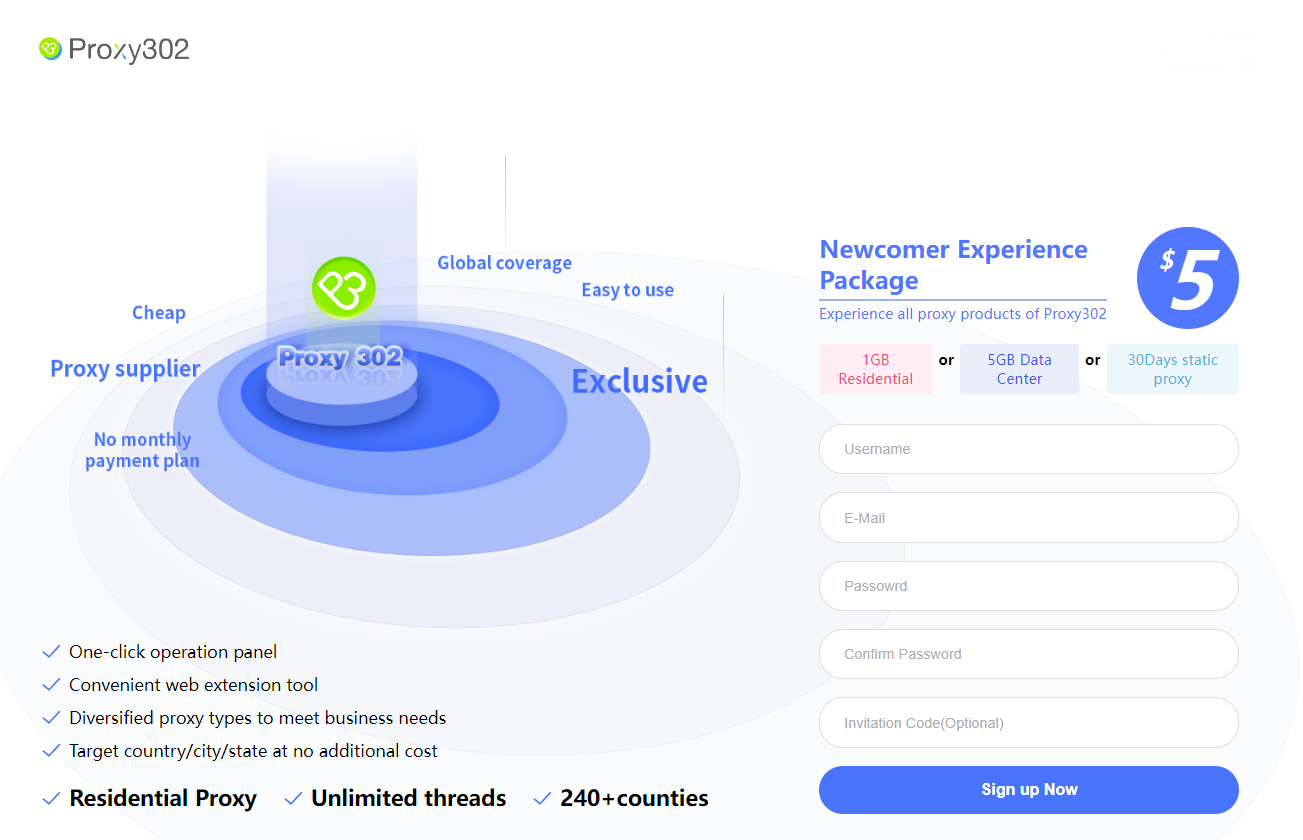
Go to the https://www.proxy302.com/ site and register.
-
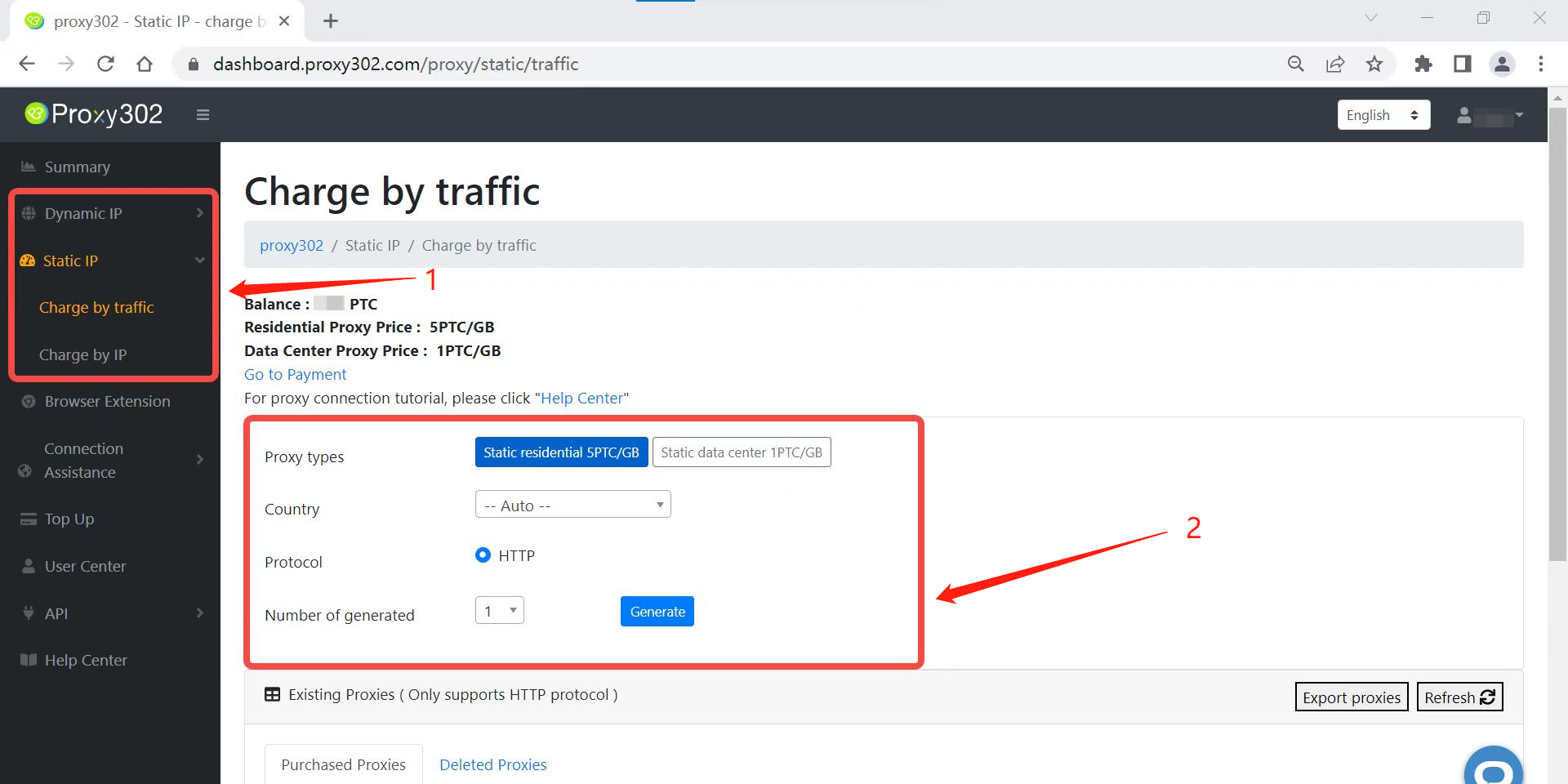
After login, choose the preferred proxy product and click on the create button.
-
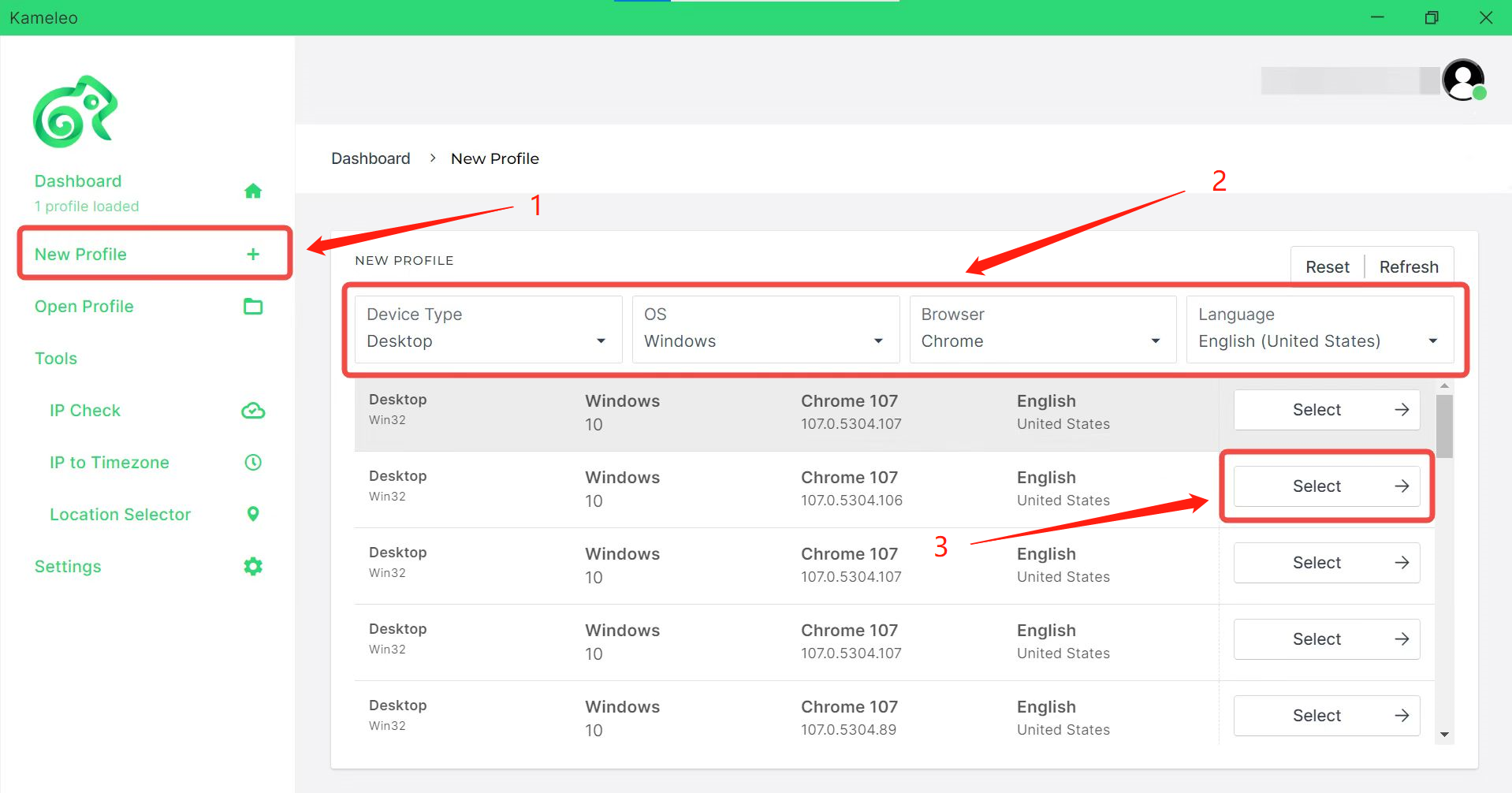
Click on New Profile and select a preferred profile.
-
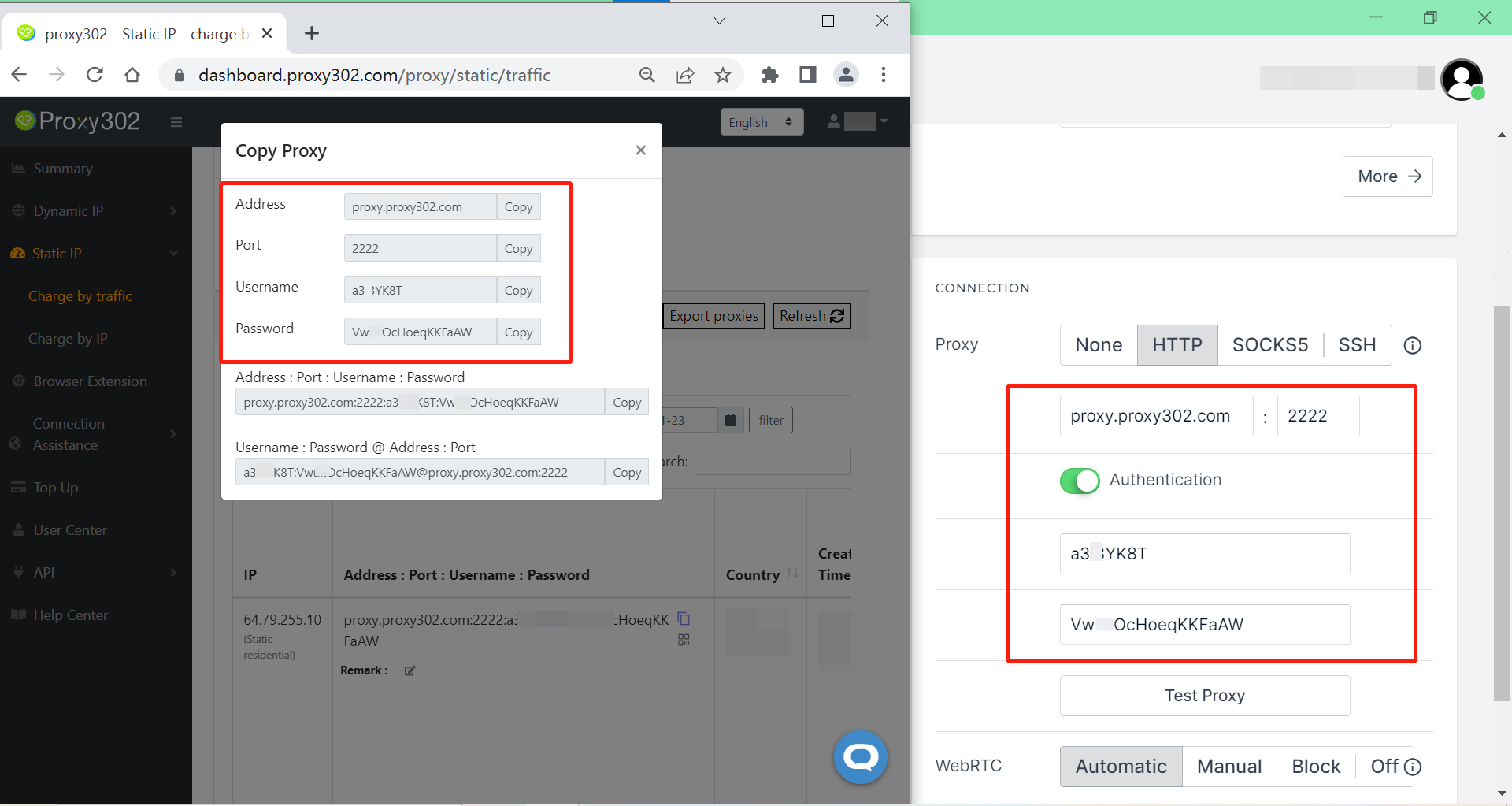
Proxy302 offers HTTP/SOCKS5 proxies, so you will have to select HTTP/SOCKS5 as a Proxy on the Profile Edit Page. And then copy and paste the required data to Kameleo. IP address, Port, Username, Password)
-
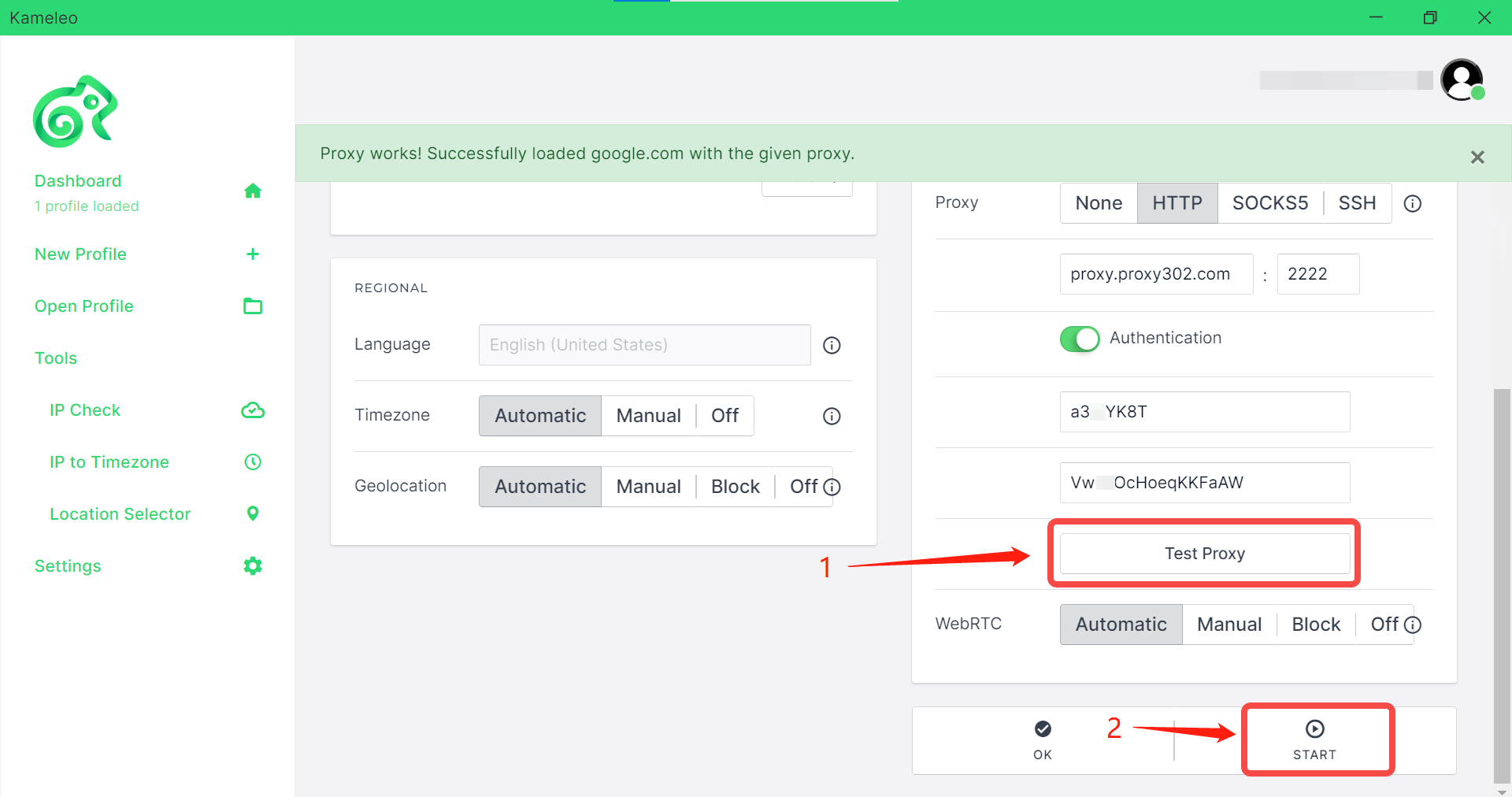
By clicking on Test Proxy, you can check that everything is correct. Leave everything on Automatic, then Start the profile.