Using Kameleo with ABC S5 Proxy

-
Log in to ABCproxy and click “Recharge”

-
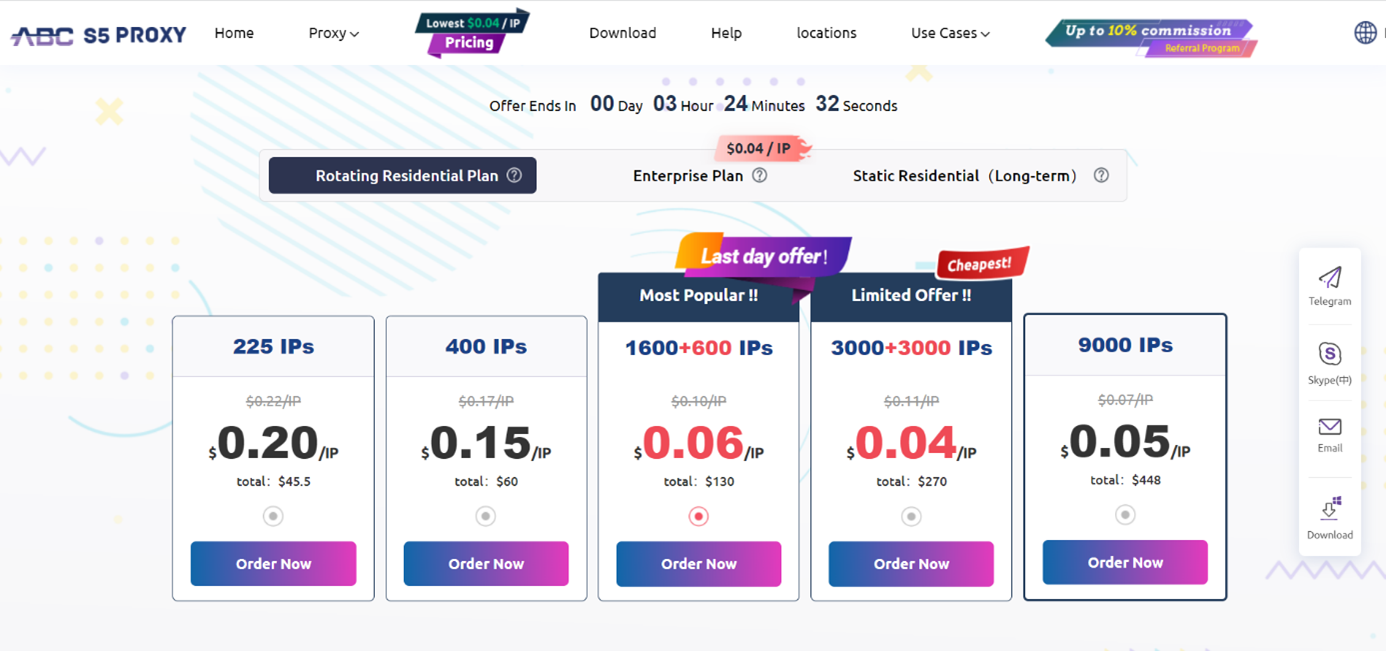
Redirect to the ABCproxy pricing page and select a plan
-
Enter the country/state/city, from which you want to obtain IP addresses, then click “Search”

-
Right click on the proxy you want, select “Forward port to proxy”, then choose a port that is free

-
You can check if the chosen proxy is available in the “Today List” section

-
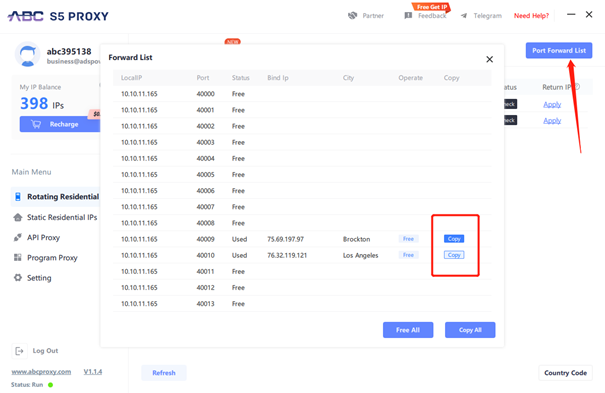
Click “Port Forward List” and copy the information (IP address and port) of the proxy you want.
-
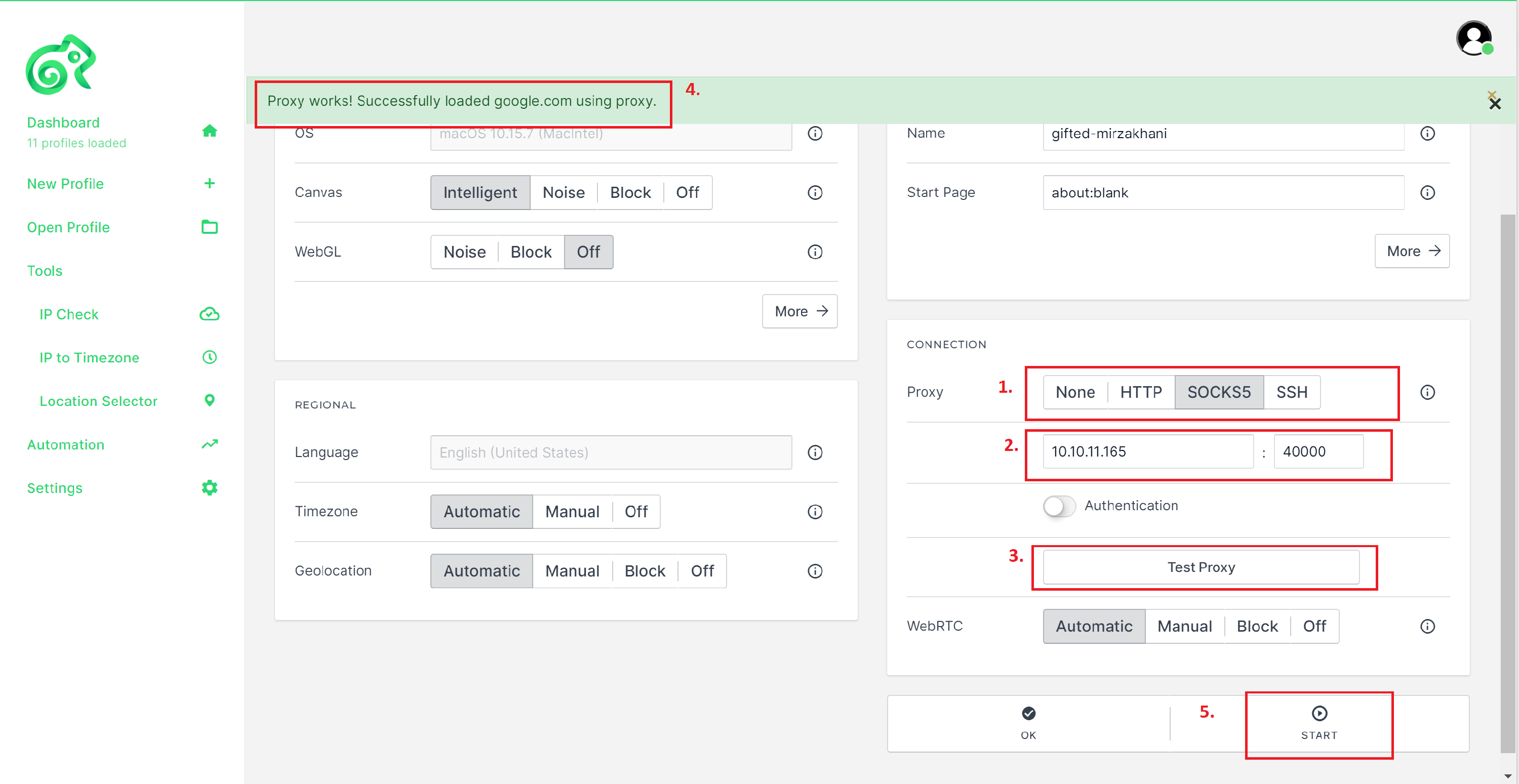
Open an existing or configure a new profile as for your needs. Copy the proxy information from your ABC S5 Proxy account and paste them into the Connection section.
-
Test the Proxy, then start and enjoy your new IP!